How to Get 150 Million Free AI Tokens with Kira AI
If you are a developer using modern AI coding tools such as Antigravity, Cline, Cursor, or other OpenAI-compatible clients, API token costs can quickly add up during extensive debugging and agentic coding workflows. Fortunately, Kira AI provides a massive free token allocation designed for developer testing and experimentation.
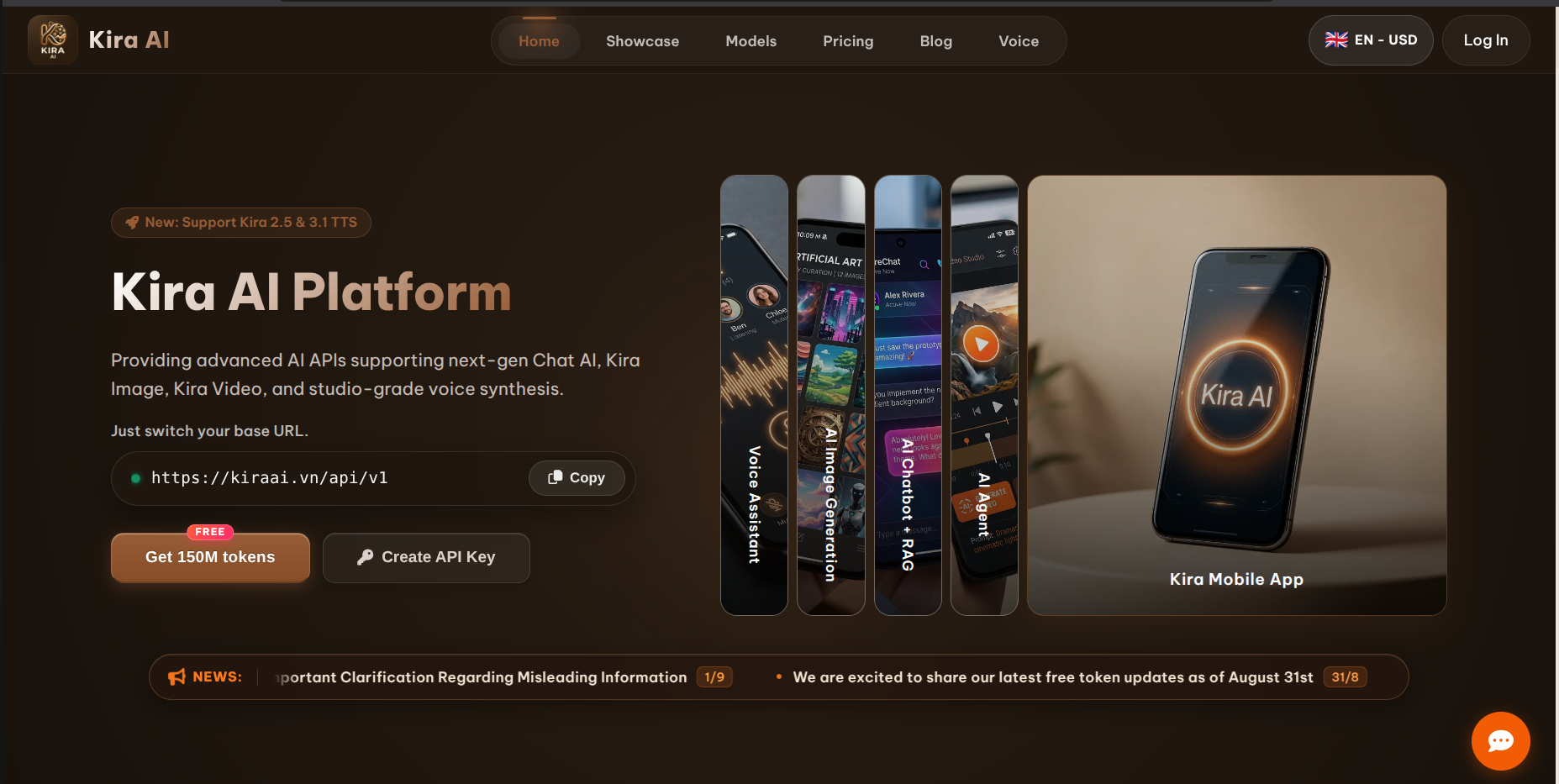
Kira AI currently advertises 150 million free tokens accessible through their platform. In this guide, we'll walk step-by-step through setting up your account, obtaining your API key, and configuring your local AI coding agent correctly while avoiding common billing pitfalls.
Ready to Claim Your 150M Tokens?
Click the link below to open Kira AI and claim your free token allocation.
Claim 150M Free Tokens on Kira AI →1. Open Kira AI
To begin, open the Kira AI platform:
Kira AI Link: https://kiraai.vn/?ref=codewithrinas
On the homepage, look for the "Get 150M tokens free" option.
2. Create a Kira AI Account
Click on Sign Up / Register to set up a new account. The registration form requires:
- Username: Choose your preferred handler.
- Gmail Address: Provide a valid Gmail account (Google Single Sign-On is also supported).
- Password: Set a secure password and confirm it.
- Referral Code: Optional / pre-filled if using the link.
3. Verify Your Email
Once submitted, Kira AI sends a 6-digit One-Time Password (OTP) to your registered email address. Input the verification code into the prompt to activate your account, then log into the Kira AI dashboard.
4. Claim the Free Tokens Allocation
Inside the dashboard, locate the token promotion section to claim your 150M Tokens Free quota. This allocation provides access to supported free tier models on the platform. Note that free model availability is dynamically managed by Kira AI.
5. Create & Save Your API Key
Navigate to the API / API Keys section in your dashboard:
- Click Create New API Key.
- Give your key a descriptive label (e.g.,
Antigravity-Dev). - Copy and save your key immediately in a secure location.
Important: Kira AI displays the full secret key only once upon creation. If you close the dialog without copying it, you will need to generate a new key.
6. Configure Kira AI in Antigravity or Cline
If your AI agent or editor extension supports custom OpenAI-compatible endpoints, configure Kira AI using the following parameters:
Base URL:
https://kiraai.vn/api/v1API Key:
YOUR_KIRA_API_KEY7. Recommended Free Model: kira-auto
When selecting a model in your client settings, choose:
kira-autokira-auto functions as a smart routing model within Kira AI. It dynamically routes incoming prompts across several underlying base models (including GLM, GPT, and Gemini variants) optimized for speed and coding logic.
8. Important: Free Tokens vs. Paid Models
A crucial distinction to understand:
Receiving 150M free tokens does not mean every model listed on Kira AI is free to use.
Kira AI categorizes models into native kira- prefix models and external partner models:
kira-prefix models (e.g.,kira-auto): Covered under free token allocations and subscription plans.- Partner models (e.g., DeepSeek, Claude, GPT-4o): May require separate wallet credits and pay-as-you-go pricing.
Always verify in the dashboard that your target model is tagged as FREE before initiating high-volume agent sessions.
9. Complete Client Configuration Summary
Here is a complete setup card for your editor or agent environment:
Provider: OpenAI Compatible
Base URL: https://kiraai.vn/api/v1
API Key:  YOUR_KIRA_API_KEY
Model:    kira-auto
10. Test the Connection First
Before granting your AI agent broad file system access, execute a quick connectivity sanity test:
Prompt: Reply with exactly: KIRA IS CONNECTEDIf the model returns KIRA IS CONNECTED, your authentication and endpoint routing are properly verified.
11. Inspection-First Prompting Strategy
Avoid instructing your AI coding tool to immediately modify code. Start with a non-destructive repository review prompt:
Inspect this project without modifying any files.
Identify:
1. Framework and version
2. Main application structure
3. Authentication flow
4. Main user-facing routes
5. API structure
6. Database layer
7. Important business logic

Do not modify anything. Give me a concise architecture summary first.
12. Recommended Safe Agent Workflow
To maximize efficiency and protect your codebase when working with autonomous agents:
1. Ask AI to inspect codebase
        ↓
2. Identify target bug or feature
        ↓
3. Request detailed implementation plan
        ↓
4. Review plan & approach
        ↓
5. Grant execution permission
        ↓
6. Run local test build
        ↓
7. Inspect Git diff (`git diff`)
        ↓
8. Commit verified changes
13. API Key Security & Best Practices
Never hardcode your API key into source code or commit it to public repositories!
Use environment variables:
# .env file
KIRA_API_KEY=sk-your-kira-api-key-here
Ensure your .gitignore includes environment files:
.env
.env.local
*.key
14. Understanding Token Consumption Mechanics
150 million tokens is an generous allowance, but agentic coding tools consume tokens rapidly because each step transmits:
- System instructions & prompt rules
- User prompts & full context window history
- File tree snapshots & file content snippets
- Tool outputs, terminal logs & build errors
- Generated code diffs
To preserve tokens, scope agent operations to specific subdirectories rather than feeding the entire project on every request.
15. Dashboard Monitoring & Tracking
Keep an eye on your account metrics by regularly visiting your Kira AI dashboard to monitor:
- Free model quota balances
- Active model pricing tiers
- Daily usage statistics
16. Troubleshooting 429 Errors
If your AI client returns a 429 Quota Exceeded or Token balance exhausted error, check your configured model immediately. It usually means a non-free partner model was selected by mistake. Switch back to kira-auto or another model tagged FREE in the dashboard.
17. Recommended Developer Architecture
VS Code / Antigravity / Cline
            ↓
  OpenAI-Compatible Endpoint
  (https://kiraai.vn/api/v1)
            ↓
   Free Model (kira-auto)
Get Started Today
Click the link below to open Kira AI and claim your 150 Million Free Tokens.
Sign Up on Kira AI Now →18. Disclaimer
Token quotas, free tier availability, model offerings, and eligibility terms are managed by Kira AI and subject to change over time. Always check the official Kira AI dashboard for the latest model capabilities and pricing updates.
Written by A.M. Rinas · Published September 3, 2026